Embark on the journey of creating a paperless digital home office with this detailed guide. From decluttering to setting up a digital filing system, this article covers all the essentials for a productive and organized workspace.
Setting up a Digital Workspace
Creating a paperless office offers numerous benefits in terms of efficiency, organization, and environmental impact. By transitioning to a digital workspace, you can streamline your workflow, access files easily, and reduce paper waste.
Decluttering and Organizing
- Start by digitizing your documents and files to eliminate paper clutter.
- Use cloud storage solutions to store and organize your digital files securely.
- Create a system of folders and subfolders to categorize and label your documents for easy retrieval.
- Regularly declutter your digital workspace by deleting unnecessary files and organizing the remaining ones efficiently.
Importance of Ergonomic Furniture
Ergonomic furniture and equipment play a crucial role in maintaining your health and productivity in a home office setting.
- Invest in a comfortable and adjustable chair to support your posture and prevent strain on your back and neck.
- Ensure your desk is at the correct height to promote good ergonomics and reduce the risk of musculoskeletal issues.
- Use an adjustable monitor stand to position your screen at eye level and reduce eye strain.
- Consider using a standing desk or a balance ball chair to alternate between sitting and standing throughout the day.
Essential Tools for a Paperless Office
Transitioning to a paperless office requires the right tools to manage documents efficiently and securely. Here are some essential tools to consider:
Document Management Software and Apps
Document management software and apps play a crucial role in organizing, storing, and accessing digital documents. Some popular options include:
- Adobe Acrobat: Allows for PDF creation, editing, and digital signatures.
- Evernote: Enables note-taking, organizing, and sharing of documents across devices.
- Google Drive: Offers cloud storage, collaboration features, and document scanning capabilities.
Cloud Storage
Cloud storage is essential for a paperless office as it provides a secure and convenient way to store and access documents from anywhere. Some popular cloud storage services include:
- Dropbox: Offers file syncing, sharing, and backup features.
- OneDrive: Integrated with Microsoft Office applications for seamless document management.
- Google Workspace: Provides cloud storage, productivity tools, and collaboration features.
Scanners for Digitizing Paperwork
Choosing the right scanner is crucial for digitizing paperwork efficiently. Consider the following features when selecting a scanner:
- Automatic Document Feeder (ADF): Allows for batch scanning of multiple pages.
- Duplex Scanning: Enables scanning of both sides of a document simultaneously.
- Optical Character Recognition (OCR): Converts scanned documents into editable text.
- Compact Size: Ideal for saving space in a home office setup.
Creating a Digital Filing System
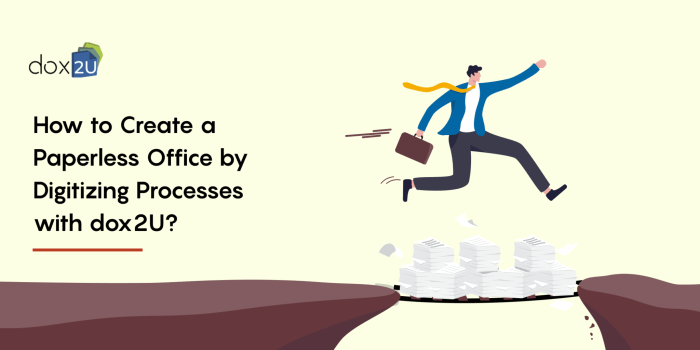
Organizing your digital files is crucial for maintaining an efficient paperless office. A well-structured digital filing system can save time, improve productivity, and reduce the risk of losing important documents.
Setting Up a Folder Structure
Before you start saving files randomly on your computer, take some time to plan a logical folder structure. Here's a step-by-step guide to help you set up an effective digital filing system:
- Create a main folder for your documents on your computer or cloud storage.
- Organize subfolders based on categories such as clients, projects, finances, or personal documents.
- Further divide subfolders into subcategories for easy navigation and access.
- Consider using a consistent naming convention for folders to maintain uniformity.
Naming and Organizing Files
Properly naming and organizing individual files within your folders is just as important as structuring your folders. Follow these best practices:
- Use clear and descriptive file names to easily identify the content of each document.
- Avoid using special characters or spaces in file names to prevent compatibility issues.
- Include dates or version numbers in file names for easy tracking of revisions.
- Regularly review and declutter your files to maintain a clean and efficient filing system.
Backups and Data Security
Backing up your digital files is essential to prevent data loss in case of hardware failure or cybersecurity threats. Here are some tips to ensure the security of your paperless office:
- Set up automatic backups to an external hard drive or cloud storage to protect your files.
- Encrypt sensitive documents to safeguard confidential information from unauthorized access.
- Implement strong password protection and two-factor authentication for added security.
- Regularly update your antivirus software and firewall to defend against malware and cyber-attacks.
Digitizing Paper Documents
When it comes to creating a paperless office, digitizing paper documents is a crucial step in the process. By converting physical documents into digital format, you can significantly reduce clutter and increase efficiency in accessing and managing your files.
Methods of Digitizing Paper Documents
There are various methods you can use to digitize your paper documents:
- Scanning: Utilize a scanner to create digital copies of your paper documents. This method is straightforward and commonly used in offices.
- Mobile Apps: There are mobile applications available that allow you to take pictures of your documents using your smartphone and convert them into digital files.
- Document Cameras: Using a document camera can help capture high-quality images of your paper documents and convert them into digital format.
Tips for Efficiently Converting Physical Documents
To efficiently convert physical documents to digital format, consider the following tips:
- Organize Your Documents: Sort and organize your paper documents before digitizing them to streamline the process.
- Use Batch Scanning: If you have multiple documents to digitize, consider batch scanning to save time.
- Optimize File Naming: Develop a consistent file naming system for your digital documents to easily locate them when needed.
Benefits of Optical Character Recognition (OCR) Technology
Optical Character Recognition (OCR) technology plays a significant role in digitization by converting scanned documents into editable and searchable text. Some benefits of OCR include:
- Searchable Text: OCR allows you to search for specific s within your digital documents, enhancing accessibility.
- Editable Content: OCR enables you to edit the text within your scanned documents, providing flexibility in making changes.
- Reduced Manual Entry: By automatically extracting text from scanned documents, OCR minimizes the need for manual data entry.
Automating Workflows and Processes
Automating workflows and processes in a paperless office can significantly increase productivity and efficiency. By using automation tools, repetitive tasks can be streamlined, reducing the chances of errors and saving time for more critical activities.
Workflow Automation Software
- One popular example of workflow automation software is Zapier, which allows you to connect different apps and automate tasks between them. For instance, you can automatically save email attachments to your cloud storage or create new tasks in your project management tool based on specific triggers.
- Another powerful tool is Microsoft Power Automate, formerly known as Microsoft Flow, which integrates with Microsoft Office 365 applications and other third-party services. It enables you to create automated workflows without the need for coding skills.
Integrating Different Tools
- When integrating different tools for a seamless digital workflow, it's essential to ensure compatibility and smooth data transfer between them. For example, you can use Google Drive for cloud storage, Zapier for automation, and Trello for task management, connecting them to work together efficiently.
- Consider creating a flowchart or diagram to map out your workflow and identify where automation can be implemented. This visual representation can help you optimize processes and identify bottlenecks that can be automated for better efficiency.
Maintaining a Paperless Environment
Maintaining a paperless environment in your home office is crucial for efficiency, organization, and reducing clutter. By implementing strategies to minimize paper consumption, regularly decluttering digital files, and staying organized, you can create a productive and sustainable workspace.
Reducing Paper Consumption
- Utilize digital tools for note-taking, such as note-taking apps or digital sticky notes, to avoid using paper for jotting down information.
- Opt for e-bills and e-statements from companies to reduce the need for printing and storing paper bills.
- Encourage digital communication with colleagues and clients to minimize the need for printing out emails or documents.
Regular Digital Decluttering and Maintenance
- Schedule regular decluttering sessions to review and organize digital files, deleting unnecessary documents and folders to maintain a clean workspace.
- Implement a naming convention for files and folders to easily locate and categorize digital documents, making maintenance more efficient.
- Backup important digital files regularly to prevent data loss and ensure the continuity of your paperless environment.
Staying Organized and Productive
- Use productivity apps and tools to create to-do lists, set reminders, and manage tasks effectively in a digital format.
- Organize digital files into folders based on categories or projects to streamline access and retrieval of information when needed.
- Establish a routine for organizing and maintaining your digital workspace, setting aside time each week to declutter and reorganize as needed.
Final Conclusion
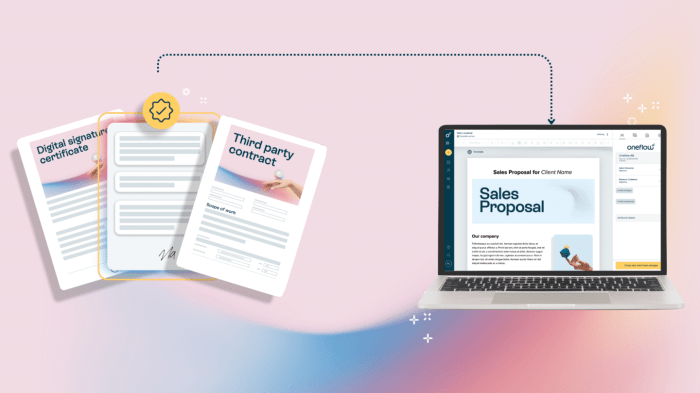
In conclusion, transitioning to a paperless environment not only enhances efficiency but also promotes sustainability. By following the tips and strategies Artikeld in this guide, you can create a seamless digital workflow and maintain a clutter-free home office.
Questions and Answers
How can I ensure data security in a paperless home office environment?
To ensure data security, it is essential to use encrypted storage solutions, implement strong password protocols, and regularly update your security software to protect against cyber threats.
What are the best practices for naming digital files in a paperless office?
When naming digital files, it is advisable to use a consistent format that includes relevant s and dates to facilitate easy retrieval. Organizing files into categorized folders can also help maintain a structured filing system.
How can I integrate automation tools into my paperless workflow?
You can integrate automation tools by identifying repetitive tasks that can be automated, selecting appropriate software or apps to streamline these tasks, and configuring workflows to ensure seamless integration between different tools.
What are the benefits of using OCR technology for digitizing paper documents?
OCR technology allows for the conversion of scanned documents into editable and searchable text, enabling easy retrieval and manipulation of information. This can significantly enhance productivity and efficiency in managing digital documents.